Accumulated Hitmarkers in Die of Death: setting and troubleshooting
Accumulated Hitmarkers stacks confirmations instead of replacing the previous marker. Follow the checks and understand what the option cannot fix.
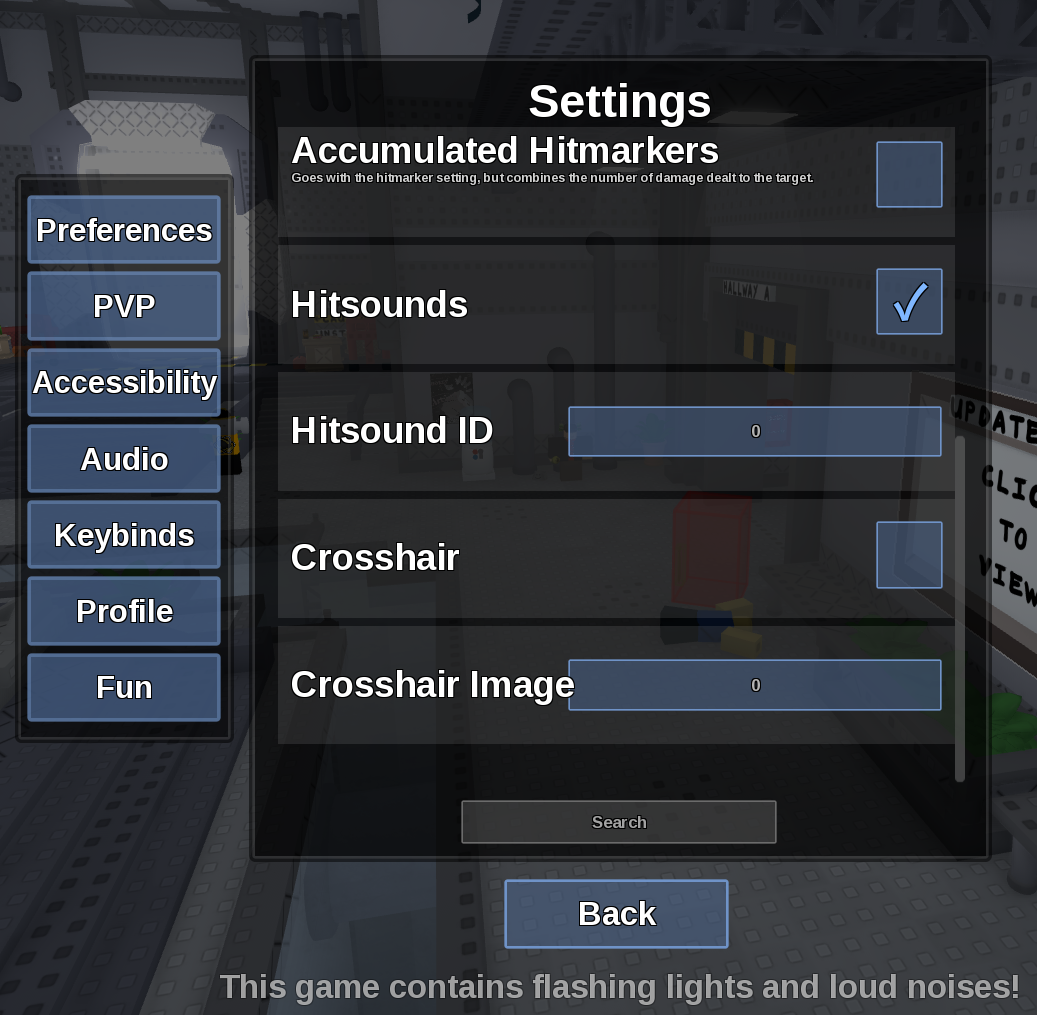
Direct answer
Accumulated Hitmarkers stacks confirmations instead of replacing the previous marker.
Location: Settings > PVP
Verified facts
- Menu location: Settings > PVP.
- Captured default or control: Toggle.
- Enable Show Hitmarkers, turn accumulation on and land several quick hits to compare the display.
Checks in order
- Open the in-game Settings panel and go to PVP.
- Enable Show Hitmarkers, turn accumulation on and land several quick hits to compare the display.
- Close and reopen Settings, then rejoin once if persistence is the symptom.
Source, review and limitations
Reviewed on September 9, 2026. In-game Settings panel captured in August 2026.
This is a presentation setting and does not combine damage into one attack.
Related pages
- Hitsound ID not saving
A numeric Hitsound ID can still reset if the field rejects it or the session does not persist the change.
- Show Hitboxes
Show Hitboxes draws attack collision areas as a visual aid.
- Show HurtBoxes
Show HurtBoxes visualizes the character area that can receive a hit.
- Hitbox Linger
Hitbox Linger controls how long a displayed hitbox remains visible after an attack.
- Show Hitmarkers
Show Hitmarkers displays confirmation when your attack registers a hit.