Die of Death Hitsound IDs
Community hitsound IDs and Block sound references, with sources, test status and help for IDs that reset or will not save.
Sound ID directory
Community IDs, not tested in DOD. Names and availability are unconfirmed.
- Not tested
- Not tested
- Not tested
TF2 critical hit
ImpactSource reviewed: Reported in Forsaken; DOD compatibility untested.Not testedDOD Block / Clang! DAMN (community label)
DOD soundsSource reviewed: Reported in Forsaken; DOD compatibility untested.Not tested
How to change a hitsound in Die of Death
- Open Settings inside Die of Death, not the Roblox platform settings.
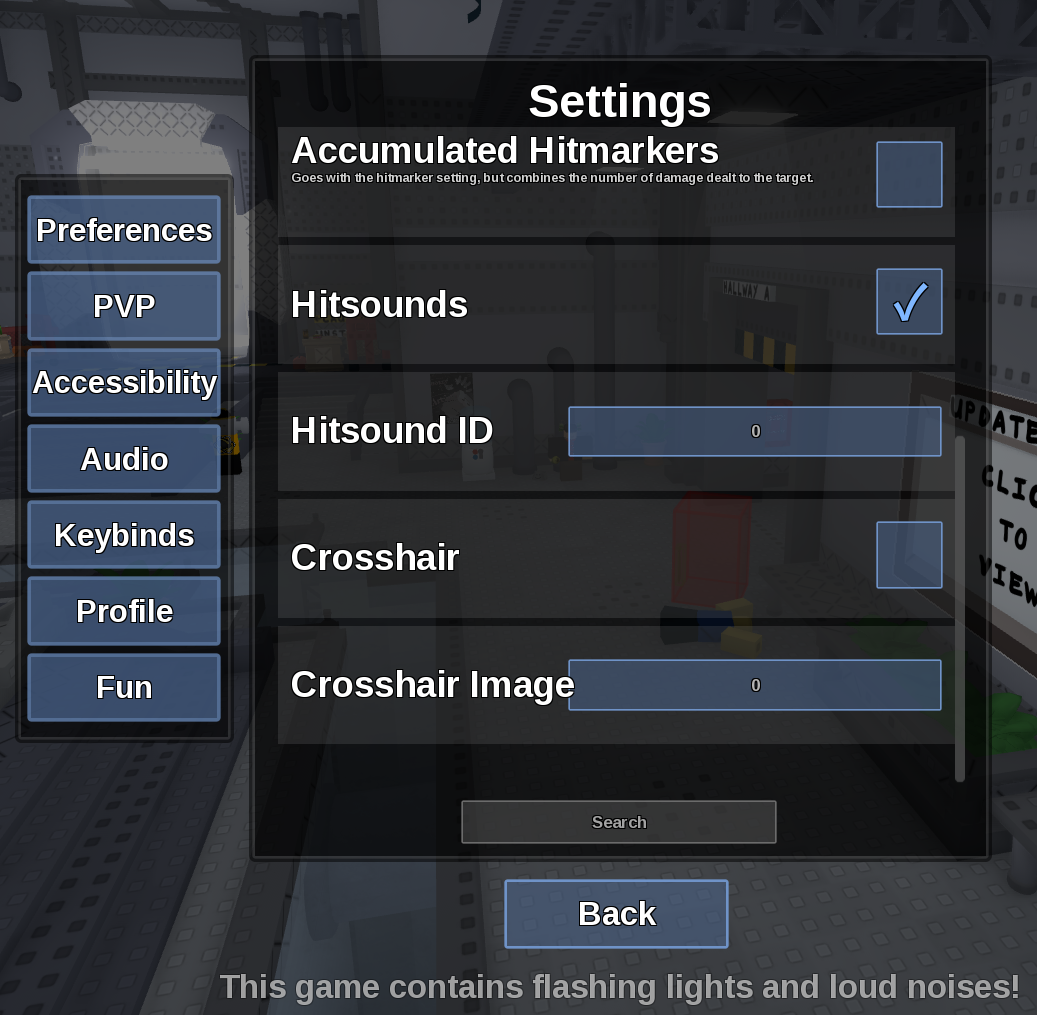
- Open the PVP tab and find Hitsounds and Hitsound ID. Enable the Hitsounds checkbox above the ID field.
- Note your previous ID, then enter only the numeric audio ID. The tutorial creator reports using Enter to confirm; this is not a guaranteed fix for saving problems.
- If the setting takes effect, lower your volume and check a hit in a match. Pasting an ID is not a playback test. If changes do not take effect, use the saving notes below instead of cycling through IDs.
Review status
Unverified- Last checked
- 2026-09-17
- Game version / update
- Fashionably Late public listing; hitsound behavior remains setting-dependent
- Tested by us
- 0 IDs have a recorded DOD working status on this page; community candidates are not treated as verified playback.
- Unconfirmed notes
- A public Roblox audio asset page or cross-game report does not prove the sound works inside Die of Death.
- Sourced candidates
- 5
- Tested in DOD
- 0
Evidence and source notes
Official
- Roblox audio permissions documentationExplains why a public asset may still fail in a specific experience.
Community
- Community candidate sourcesUsed as leads; they do not prove DOD compatibility.
In-game / site review
- Testing and support reportsKeeps saving, reset-to-zero, and playback issues separate.
Unverified
- Legacy IDs without sourcesHidden by default and not treated as verified.
How this page is maintained
Each ID separates the community source, the Roblox asset page, and the recorded DOD test status. Those three things are not the same claim.
When we do not have an in-game test, the item stays marked as not tested even if a public asset page exists.
Hitsound ID not saving or not playing?
Player reports describe saving and display problems, and our own in-game check on 2 Sep 2026 had the same result: changing the ID produced no effect and no sound could be heard. The cause and a reliable fix have not been confirmed by this review; these are not official developer findings.
Reports reviewed:
The ID will not save after leaving Settings
Players report this in the tutorial's comments. Its creator says Enter only sometimes saves for them. If changes never take effect, pause ID testing: a saving problem is not evidence that each audio asset is broken.
Saving reports & creator replyThe field resets to 0
Reports differ: the creator says their sound remains active after the field returns to 0, while another player says the sound disappears too. The displayed number alone cannot establish whether the custom sound was retained.
Reset-to-0 discussionThe ID number is red
The creator reports red text even when their sound works. Red text alone is not a reliable failed-audio indicator, and it does not prove that the ID works either.
Creator's red-text replyThe ID stays saved, but there is no sound
Check Hitsounds, volume and the hit event. Audio availability and experience permissions are a separate issue: a public resource page or playback in another game does not establish DOD compatibility. These checks do not explain why a setting fails to save.
Roblox audio permissionsLooking for Die of Death's own sounds?
A custom hitsound is different from the game's built-in sound effects. A community re-upload is not automatically the original or usable in every Roblox game.
Block sound
The community Wiki separates the activation and successful-block sounds. The Block-labelled IDs above are community suggestions, not verified originals.
Audio referenceTaunt sounds
Taunt has several cues, including use, miss and hit. Check the specific cue and version before matching an ID to it; a Wiki filename is not proof of a reusable Roblox asset.
Audio referenceUnofficial fan-resource notice
Die of Death Guides is an independent fan resource. Screenshots, character names, skin names, and Roblox references are used for identification, commentary, and gameplay guidance. All game assets, trademarks, and Roblox platform content belong to their respective owners.