Hitsound not playing in Die of Death: setting and troubleshooting
Check the Hitsounds toggle, SFX volume and asset accessibility separately; they are three different failure points. Follow the checks and understand what the option cannot fix.
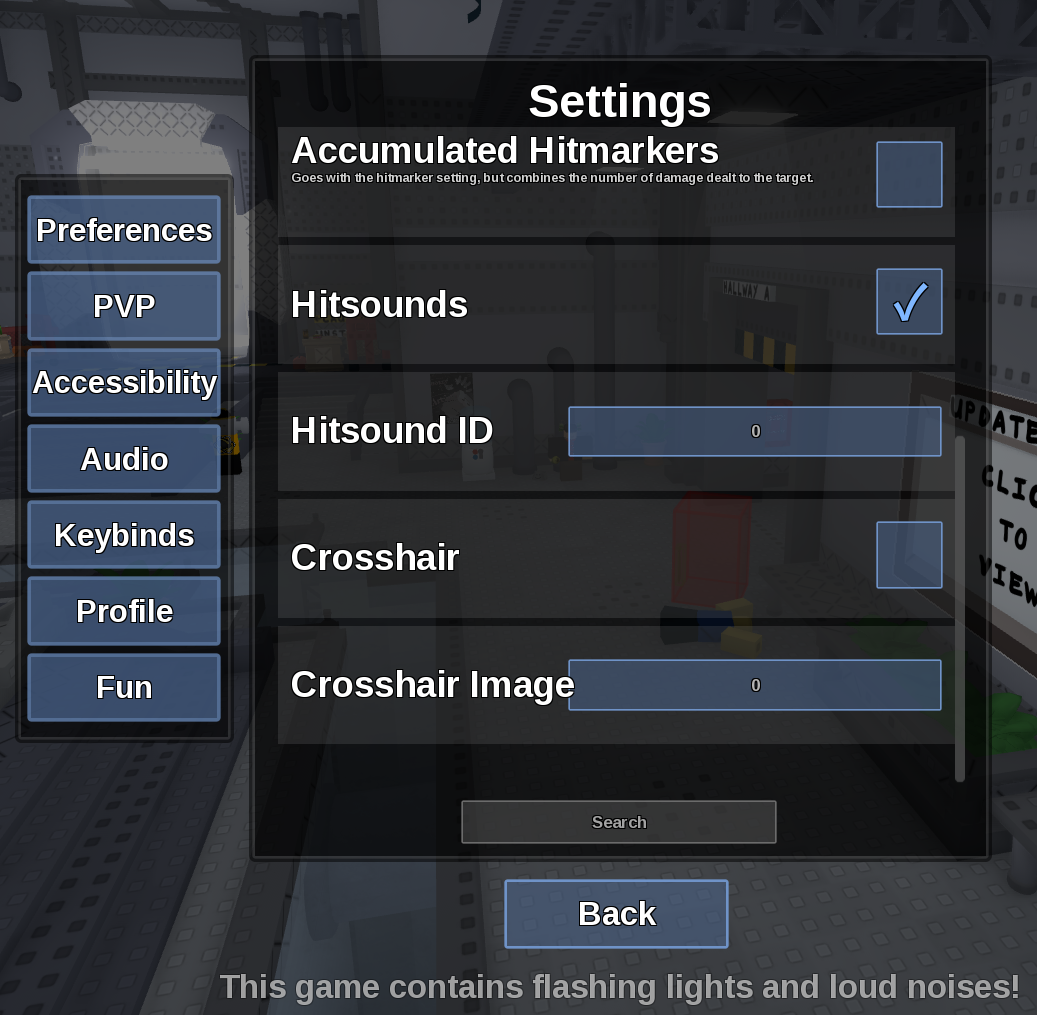
Direct answer
Check the Hitsounds toggle, SFX volume and asset accessibility separately; they are three different failure points.
Location: Settings > PVP / Audio
Verified facts
- Menu location: Settings > PVP / Audio.
- Captured default or control: Hitsounds varies.
- Turn Hitsounds on, raise Master Volume and SFX, land a real hit, then try a second known-accessible asset.
Checks in order
- Open the in-game Settings panel and go to PVP / Audio.
- Turn Hitsounds on, raise Master Volume and SFX, land a real hit, then try a second known-accessible asset.
- Close and reopen Settings, then rejoin once if persistence is the symptom.
Source, review and limitations
Reviewed on September 9, 2026. In-game Settings panel captured in August 2026.
This site cannot confirm playback when the game refuses to save every tested ID.